 Sinmerma
How to send product photos on WhatsApp without losing quality
A customer asks for photos of the jacket, you send ten, and they arrive soft and washed out. The product is fine: WhatsApp compressed the photos on the way. Here's how to send them so the customer sees what you see.
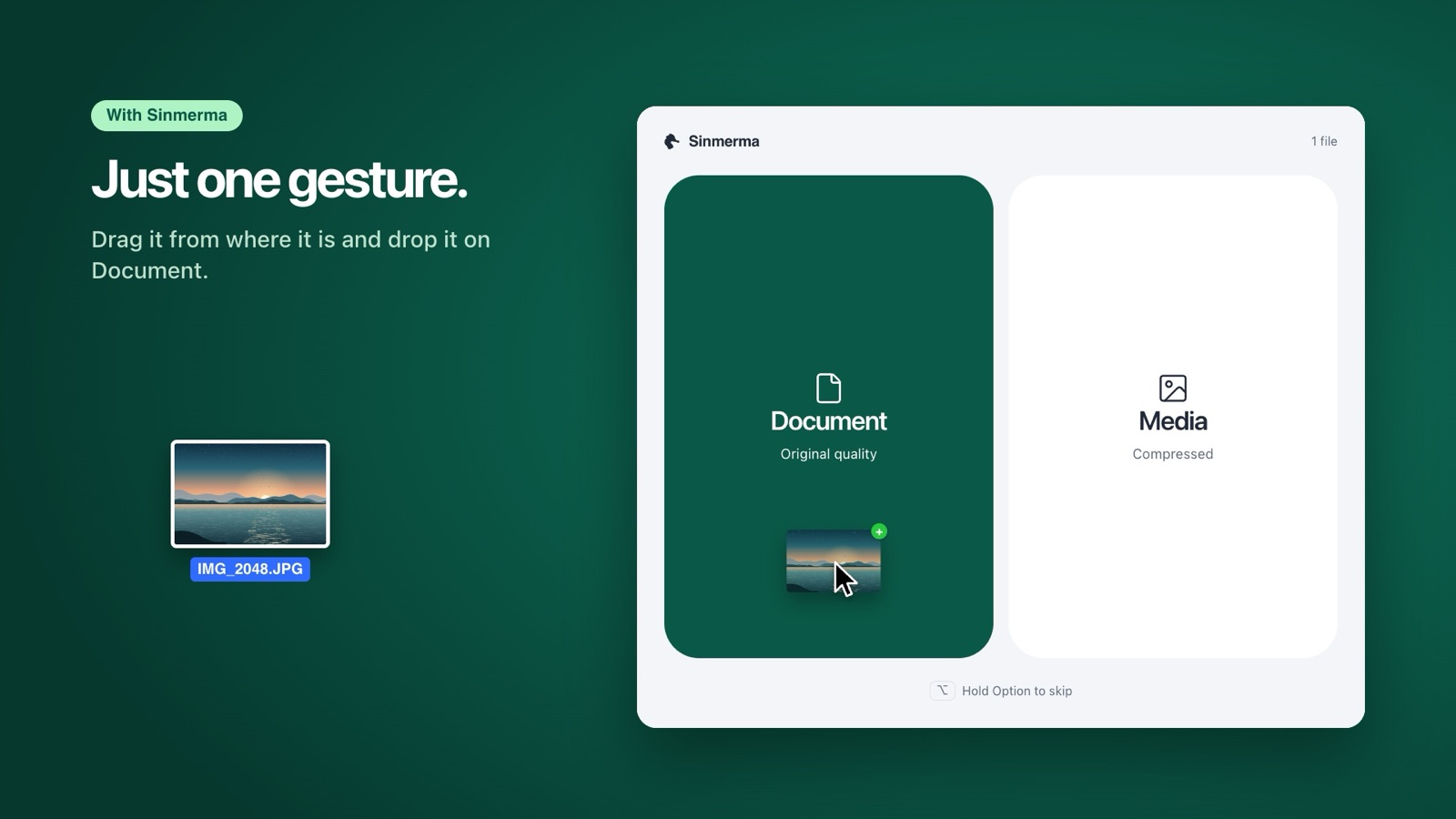
Send product photos as a document, not as a photo: they arrive as the original file, with every detail. In WhatsApp for Mac that's + › Document. With Sinmerma, you drag the photos from their folder and drop them on Document.
Why product photos arrive looking worse
When you send a photo the normal way, as media, WhatsApp shrinks it and compresses it again so it travels fast. On a small screen it looks fine. But a customer about to buy zooms in on the fabric, the stitching, the label and the color, and that's exactly what compression blurs first. Fine textures smear, gradients show bands and the small text on a label becomes unreadable.
How to send them in original quality from a Mac
- Open the customer's chat in WhatsApp for Mac.
- Click + › Document.
- In the file picker, go to the product's folder. Hold ⌘ and click to select several photos, then click Open.
- Check the list and send.
Each photo arrives as a file with the same resolution as yours. If you do this all day, Sinmerma makes it shorter: select the photos in the Finder, drag them onto the chat and drop them on Document. No menu, no file picker.
Tips for selling with photos on WhatsApp
- One preview, then the detail. A document doesn't show up as a picture in the chat until it's opened. Send one photo as media, so the product appears right away, and the close-ups as documents. With Sinmerma you choose on every drop: Media or Document.
- Name your files. A document shows its file name. “black-jacket-front.jpg” says more than “IMG_4821.jpg”, and the customer can find it later.
- Keep a folder per product. The photos you send most are already in folders on your Mac. Dragging from there is faster than digging through the file picker every time.
- Mind the weight. Photos straight from a pro camera can be very heavy on mobile data. For a catalog, an exported copy of 2,000 to 3,000 pixels on the long side is still sharp and much lighter.
Frequently asked questions
Why do my product photos look blurry on WhatsApp?
Because WhatsApp compresses photos sent as media: it lowers the resolution and compresses the image again. Sent as a document, the photo arrives unchanged.
Does WhatsApp's HD option fix it?
It helps, because HD compresses less, but it still doesn't send the original file. For close-ups the customer will zoom into, send a document.
Will the customer see the photo in the chat?
As a document, the photo appears as a file the customer opens with a tap. That's why it helps to send one preview as media and the detail shots as documents.
More guides: how to send several photos as documents at once, how to send photos without losing quality on Mac and why WhatsApp compresses your photos.
Do it in one step with Sinmerma
Sinmerma is a Mac app: when you drag photos or videos onto WhatsApp for Mac, you choose Document (original quality) or Media (compressed) just by dropping them. It never sends for you.
Download for Mac See how it works
Try it free: 20 sends in original quality, no card.