 Sinmerma
How to send photos on WhatsApp without losing quality on Mac
When you attach or drag a photo into WhatsApp on your Mac, it goes out as media: WhatsApp shrinks it and compresses it. To send photos on WhatsApp without losing quality, send them as a document instead, and the original file arrives.
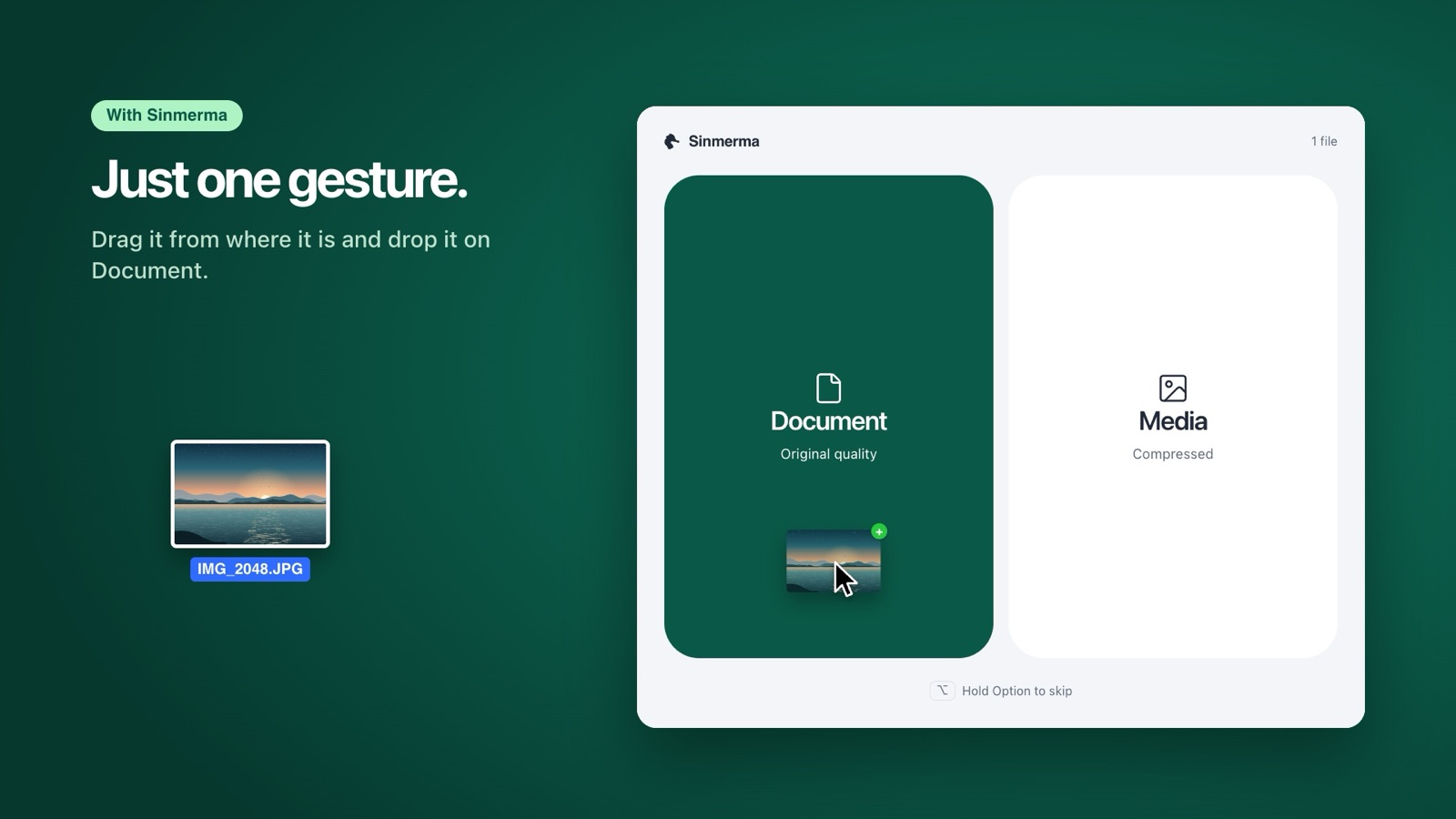
In WhatsApp for Mac, click + › Document and choose the photo: it arrives in full quality. With Sinmerma, just drag it into the chat and drop it on Document.
Option 1: send photos as a document in WhatsApp
- Open the chat in WhatsApp for Mac.
- Click the + button next to the message field.
- Choose Document.
- Find the photo in the file picker, folder by folder, and click Open.
- Check the preview and press send.
The photo arrives as a file the other person downloads, with the same resolution and file size as the original. One catch: if you drag the photo into the chat or attach it as a photo instead, WhatsApp sends it compressed.
Option 2: drag and choose with Sinmerma
If you send photos often, the + button route gets slow: a menu, a file picker, then digging through folders for a photo that may already be open in the Finder. Sinmerma is a Mac app that turns those five steps into one gesture, right from wherever the file already is, so you save time on every send:
- Drag one or more photos from the Finder onto the WhatsApp window.
- Two zones appear over WhatsApp. Drop on Document to send the original, or on Media to send it compressed, as usual. Hold Option (⌥) while you drag if you want to skip the zones.
- Sinmerma attaches the photos to the open chat. You review them and press send: it never sends for you.
Document or media: what changes
| Document | Media | |
|---|---|---|
| Quality | Original | Compressed |
| Resolution | The same | Lower |
| How it shows up | A file to download | Right in the chat |
| Data | More | Less |
| Photo details (metadata) | Kept, including the location if it has one | WhatsApp strips them |
Mind that last row: as a document, the file travels exactly as it is, metadata included. If the photo stores where you took it and you'd rather not share that, remove the location first in the Photos app.
Does WhatsApp HD send photos without losing quality?
Not quite. WhatsApp has an HD quality option for photos. It compresses less than standard quality, but it doesn't send the original file either. If you need the exact photo, to print it, edit it or keep it, send it as a document.
More guides: how to send a video without losing quality and why WhatsApp compresses your photos.
Do it in one step with Sinmerma
Sinmerma is a Mac app: when you drag photos or videos onto WhatsApp for Mac, you choose Document (original quality) or Media (compressed) just by dropping them. It never sends for you.
Download for Mac See how it works
Try it free: 20 sends in original quality, no card.